
Inclusive Transit AI Assistant
MTA Access Navigator: Accessibility-First Chatbot Helping Users With Mobility Needs Navigate the NYC Subway System
Solo Project
Role: Conversational UX Designer
Duration: 4 weeks (2025)
Tools: Voiceflow, Figma
01. Project Overview
Summary
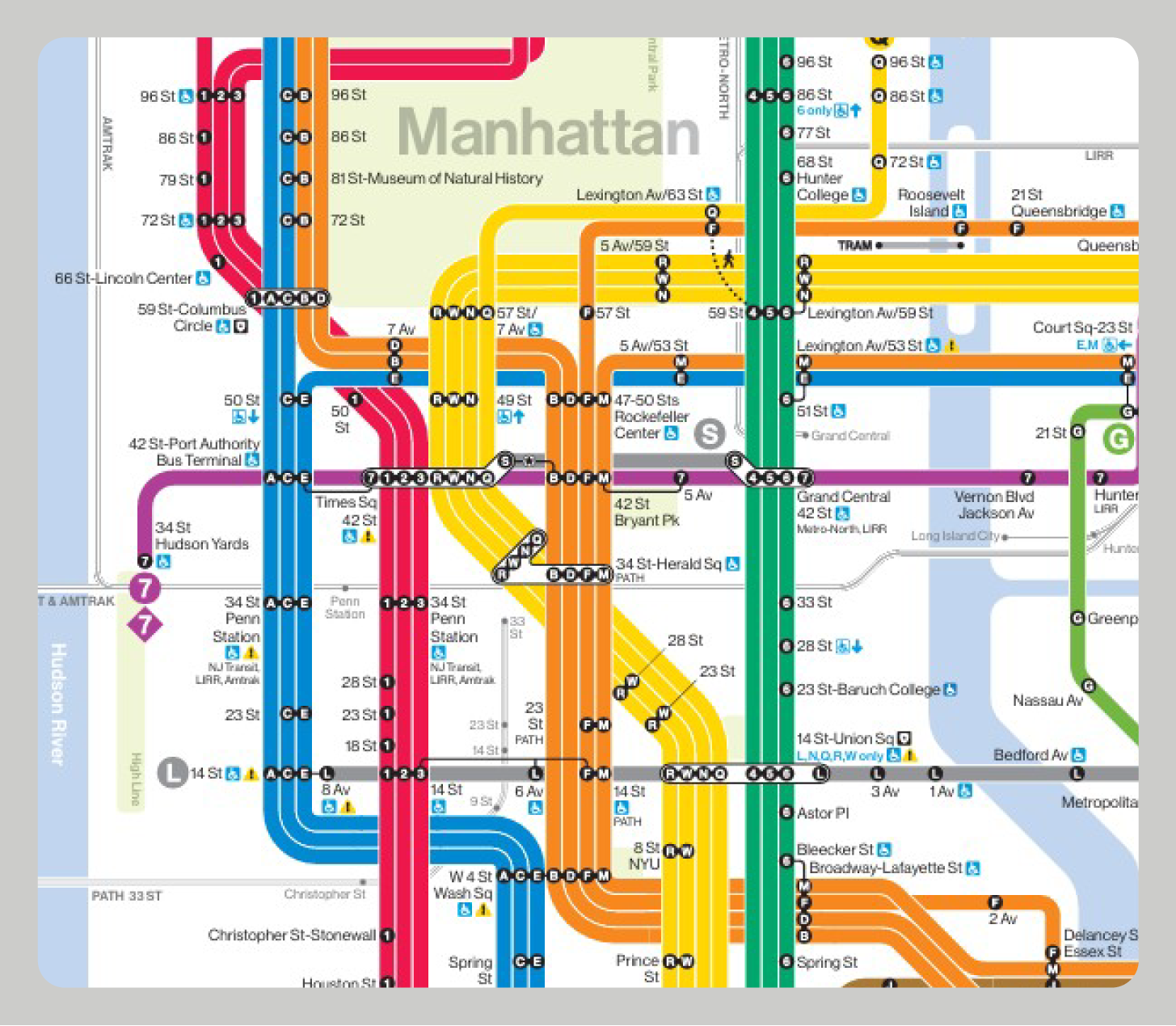
MTA Access Navigator is a smart AI assistant for accessible transit routing integrated into the official MTA mobile app. The chatbot helps passengers with mobility needs navigate the subway system, guiding them along accessible paths with working elevators, escalators, and appropriate accommodations.
Why a Chatbot?
A conversational interface was the ideal solution for this accessibility challenge. Transit navigation is naturally conversational, and a chatbot makes route planning fast and efficient.
It provides capabilities that existing MTA tools lack: real-time text alerts when elevators fail, guaranteed accessible route planning, and quick issue reporting through brief, natural exchanges that fit seamlessly into the travel experience.
02. The Challenge
-
🧩 The Problem
MTA passengers with mobility needs cannot navigate the subway confidently because accessibility equipment is unreliable and alternative routes are complicated to plan when problems occur. This uncertainty forces many users to avoid public transit entirely, limiting their independence and quality of life.
-
❓ How Might We...
…Provide real-time, reliable information about elevator and escalator status that passengers can trust?
…Make it effortless to find alternative accessible routes when equipment fails?
…Instantly reroute passengers when accessibility equipment fails mid-journey without causing stress?
-
💡 The Solution
If we create an AI chatbot assistant that provides quick accessible route planning, real-time accessibility equipment status, and instantly suggests alternative accessible routes when problems occur, then passengers with mobility needs will navigate the subway confidently and independently. This will result in increased ridership, fewer abandoned trips, and improved quality of life.
03. Key Design Decisions
Shaping the Conversation
Four critical decisions shaped how this bot converses with users and why.
1. Optional vs. Required Profile Setup
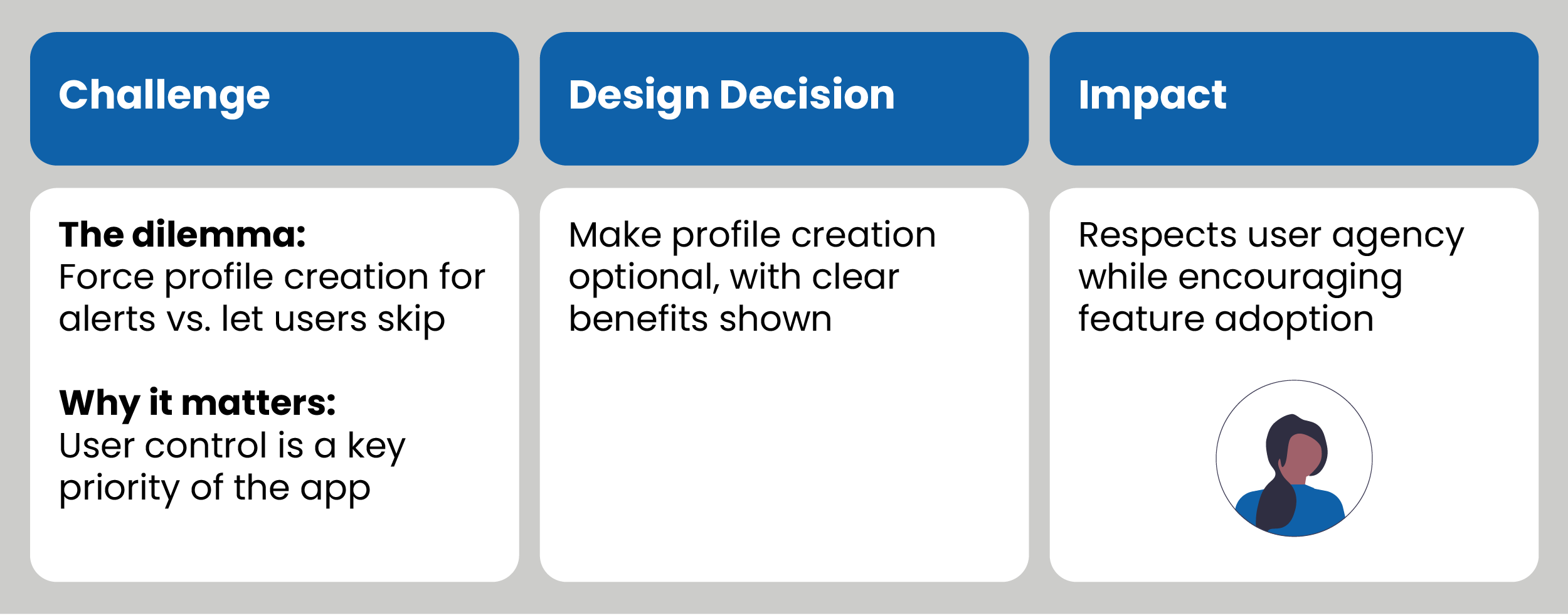
I made accessibility profiles optional rather than required. While mandatory profiles would ensure users receive alerts and personalized routes, they create friction that could prevent people from getting immediate help. It is important to ensure users feel like their autonomy is always respected.
2. Active Monitoring with Alerts
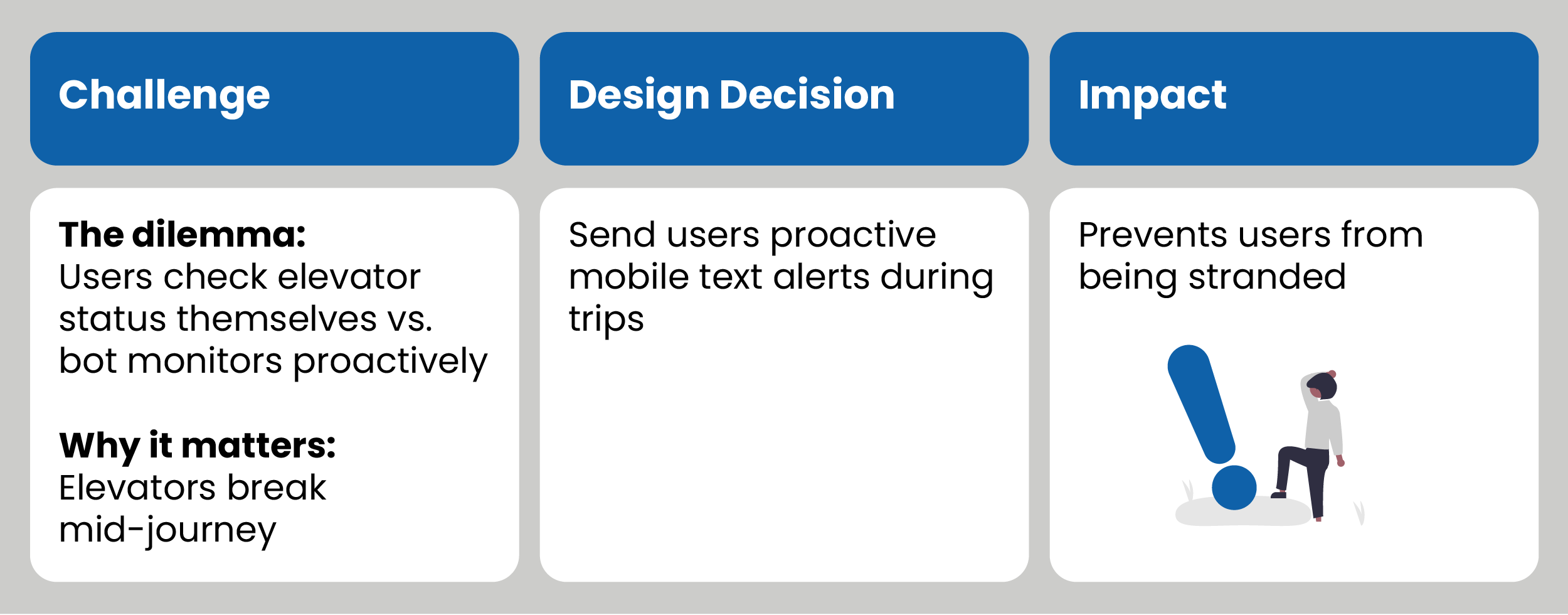
Accessibility equipment frequently breaks mid-journey, so I chose proactive monitoring over passive status checking. The bot actively tracks the user's route and sends immediate text alerts if elevators fail during their trip. This shifts the burden from user to system, preventing users from being stranded without a backup plan.
3. Bot as Partner, Not Authority
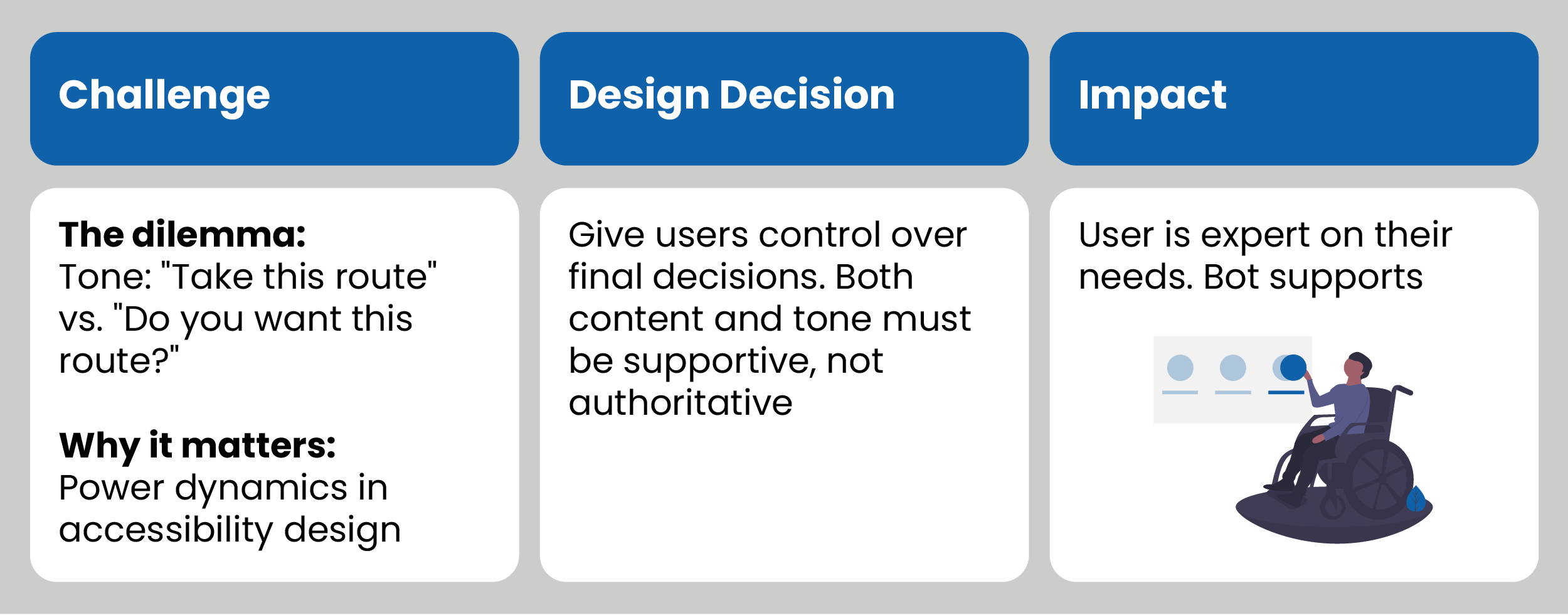
I designed the bot to offer choices rather than dictate actions: "Do you want this route?" instead of "Take this route." Users are the experts of their own needs, and many have experienced systems that control rather than support them. The bot presents options and respects the user's final decision, positioning itself as a supportive guide that empowers independence.
04. User Research
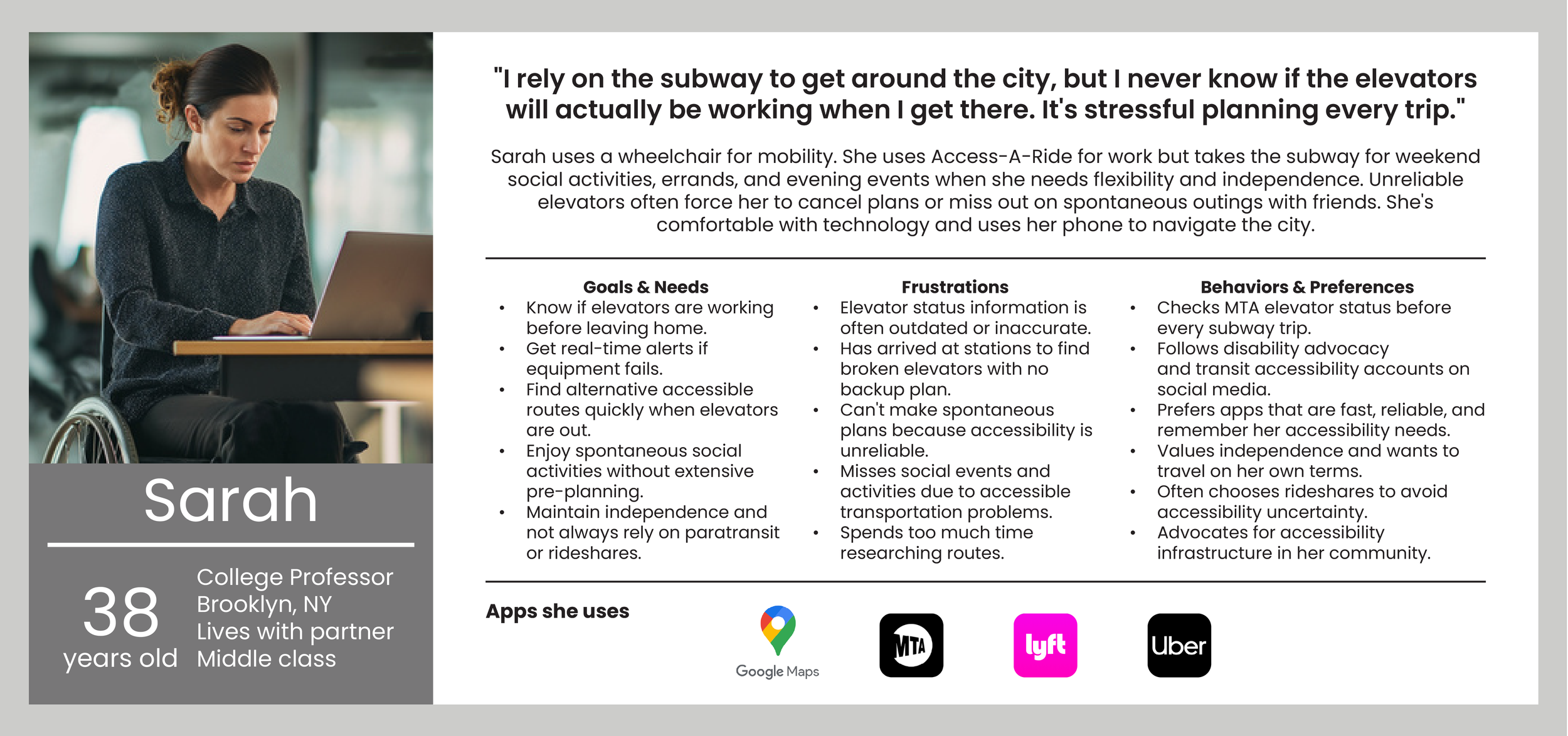
User Persona
Who Will Benefit:
Wheelchair users and people with mobility needs.
Elderly passengers who cannot use the stairs safely.
Caregivers with strollers.
People with temporary injuries (crutches, etc.).
Travelers with heavy luggage or large items they’re carrying.
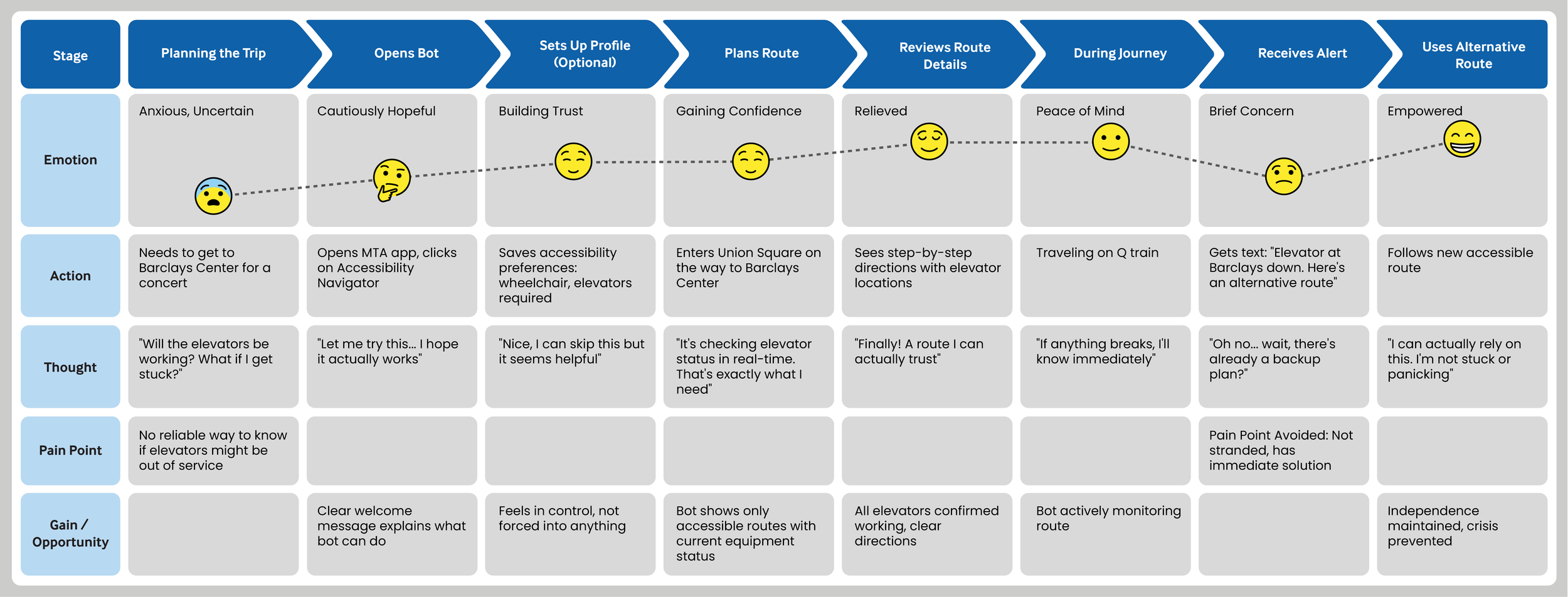
Persona’s User Journey Map
05. Bot Anatomy
-
Overview
AI assistant embedded in the MTA mobile app that enables confident, independent subway travel through accessible route planning and real-time equipment monitoring.
-
Dual-Mode Chat Interface
Text-based chat (default)
Voice-based option
Push notifications for real-time updates
-
Input
Text-based chat (default)
Voice-based option
-
Output
Text responses
Appropriate visuals (maps, etc.) (future iteration)
Voice output (optional)
Push notifications for real-time accessibility updates and changes
Bot Features
Onboarding & Profile: Accessibility profile setup with personalized preferences.
Live Status: Real-time elevator and escalator status checks.
Issue Reporting: Quick way to report broken equipment
Accessible Route Planning: Only suggests routes meeting user's accessibility needs.
Text Alerts: Push notifications when equipment fails during travel.
Bot Personality

06. Scripts & Flow
Sample Scripts
I wrote multiple sample scripts (click to read them) to explore different conversational scenarios including:
The onboarding accessibility questionnaire for new users.
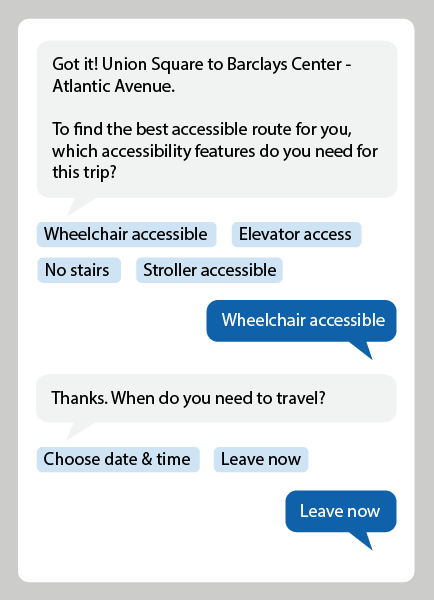
Planning an accessible route for a rider with a wheelchair.
A rider asking for the status of an elevator at a specific station.
A rider reporting an accessibility issue at a station.
A rider receiving a text alert about an elevator going out of service during their journey.

Flow Chart: Onboarding
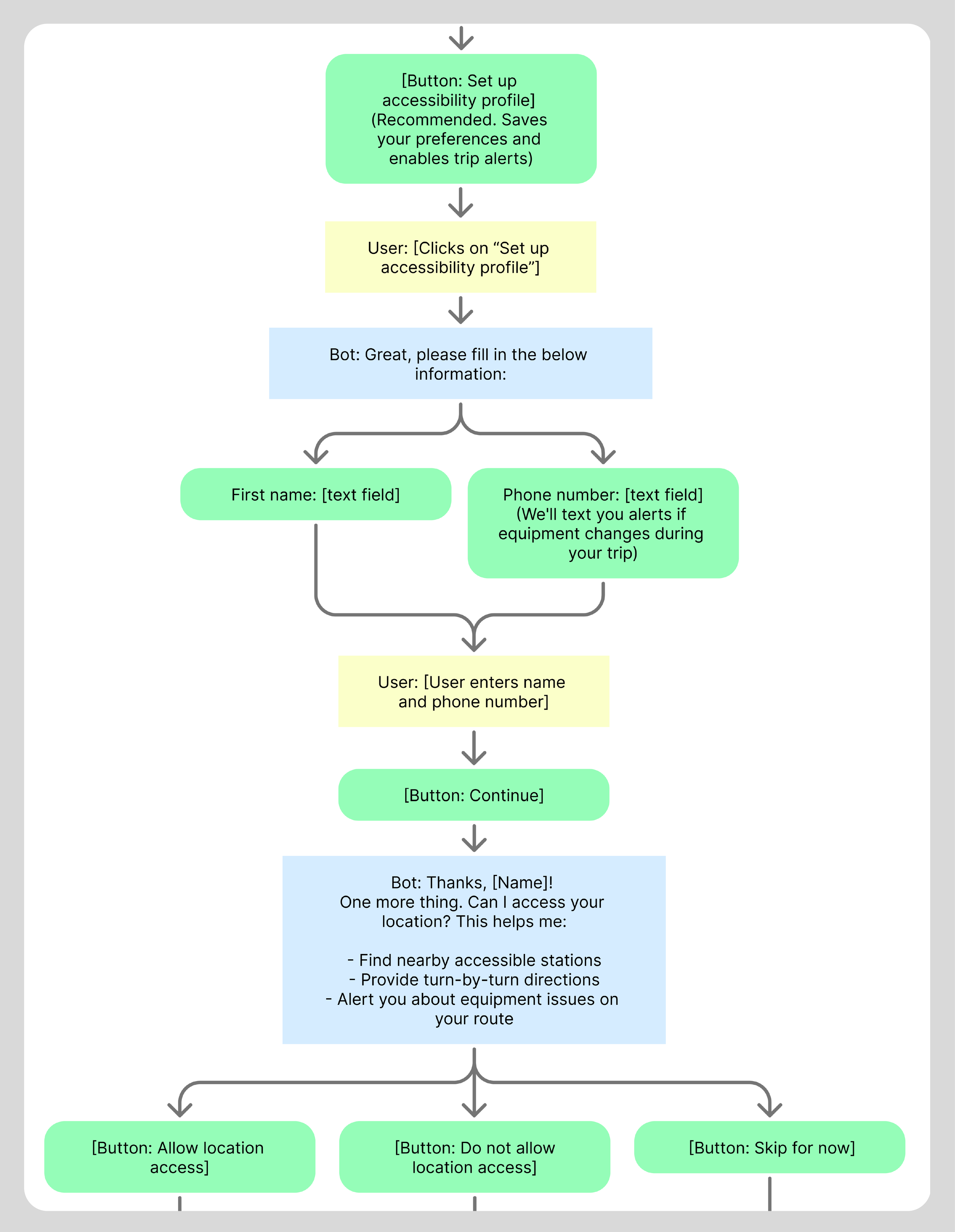
Based on the scripts, I created a flow chart for multiple paths. The flow shown here details the accessibility profile onboarding.
The welcome message sets the conversational tone and bot personality as professional yet approachable, expert, confident, reassuring, clear and direct.
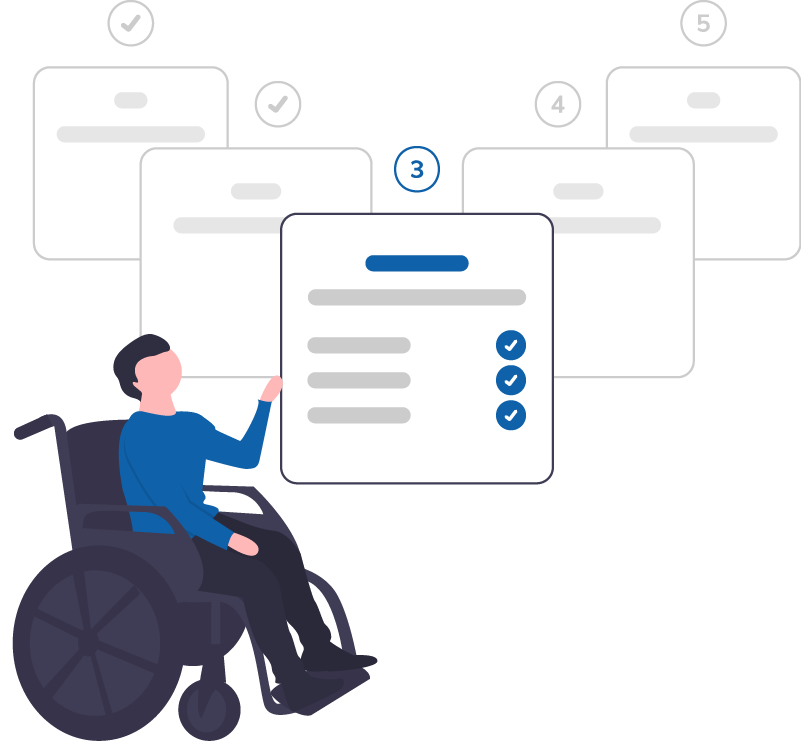

Accessibility Profile Set-Up
For users who choose to save an accessibility profile, they enter their first name and phone number, then choose to allow location sharing or not.

Accessibility Preferences
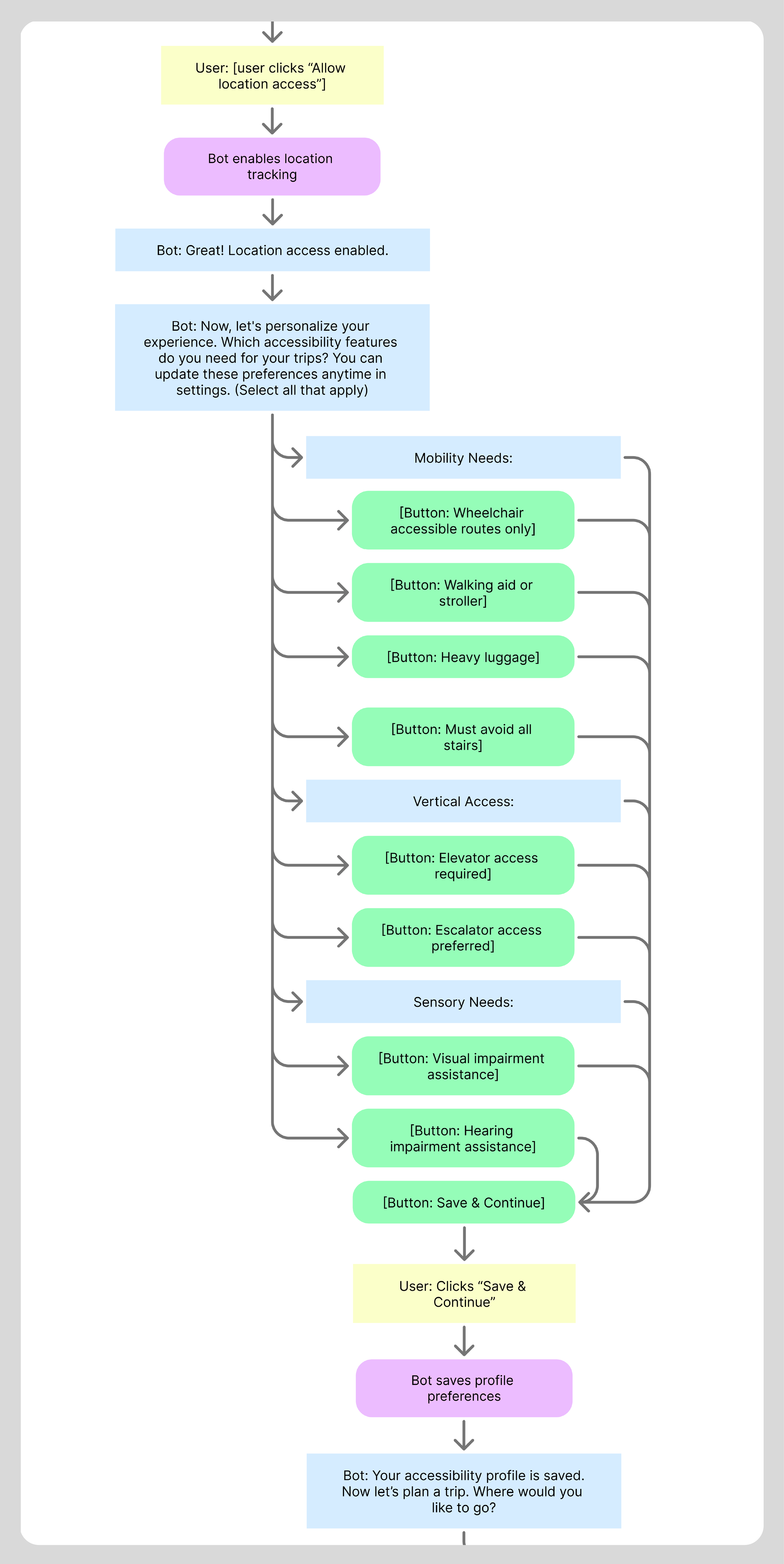
Next the bot collects the user’s accessibility preferences. These preferences are saved and used for route planning.
The profile can be updated at any time with revised accessibility needs.

07. Prototyping
Voiceflow
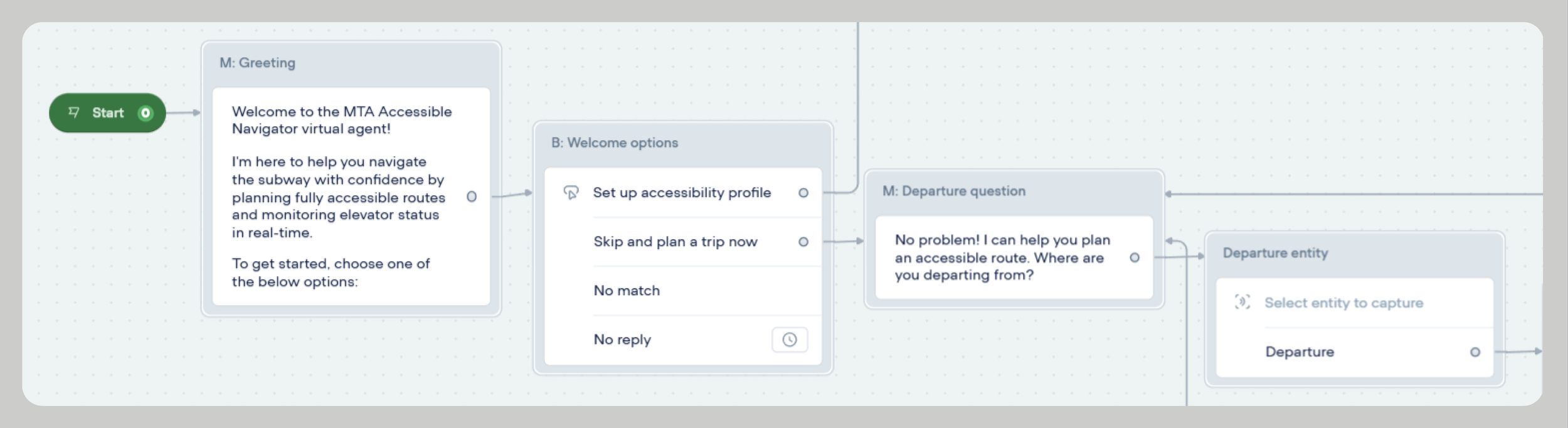
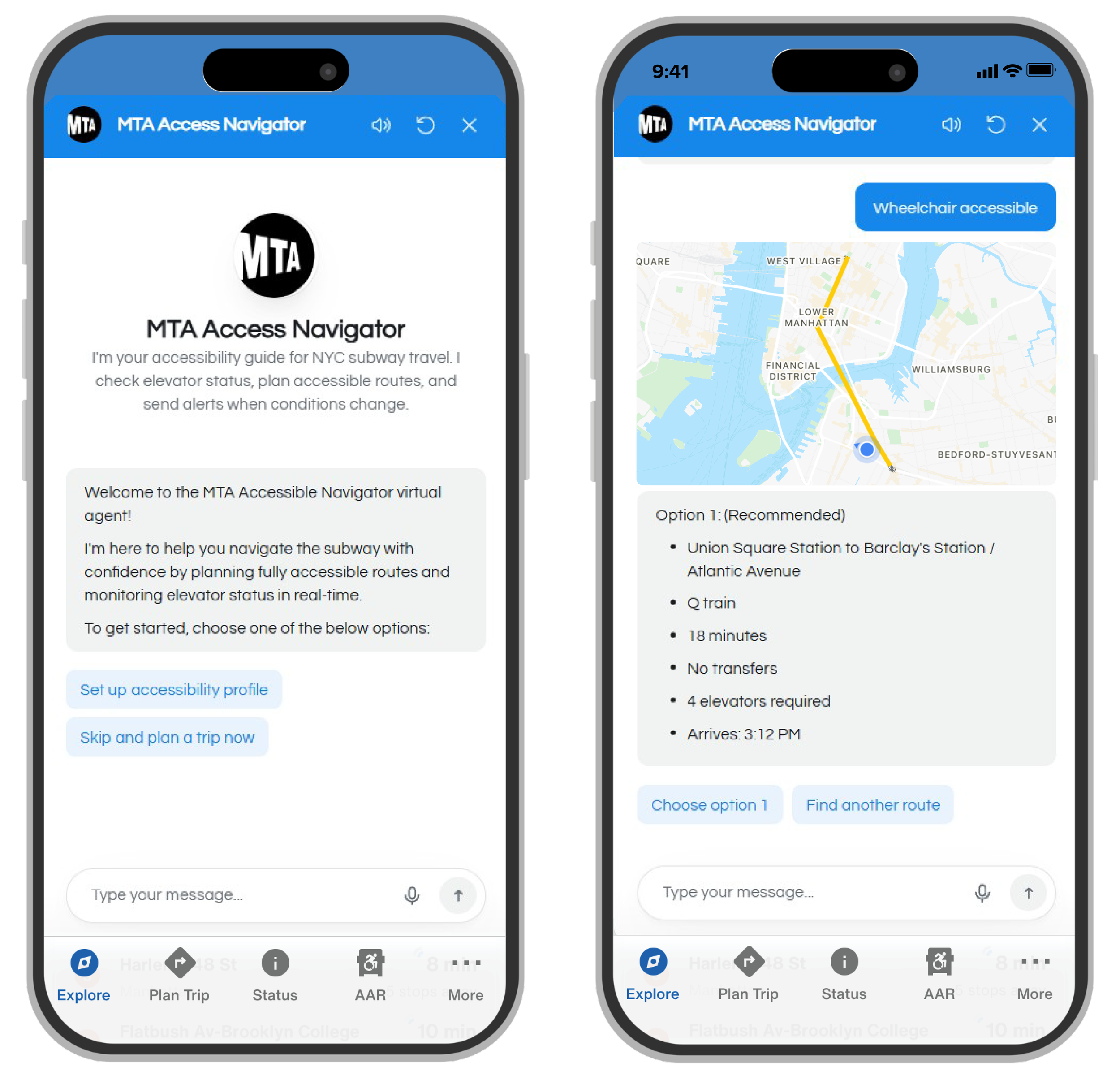
Using Voiceflow, I built an interactive bot prototype that demonstrates the core user journey from onboarding through route planning. The prototype handles multiple conversation paths, including profile setup, accessibility preferences, real-time elevator status checks, and route selection. I designed the conversational flow to feel natural and supportive, with the bot offering clear options through buttons while still accepting typed or voice input. The prototype validates how effectively the bot can guide users through complex accessibility decisions while maintaining a helpful, non-authoritative tone that empowers users to make their own choices.
Final Protoype
You can try out the final prototype here. It’s currently at MVP stage so it’s only trained to set up an accessibility profile or guide the user on the happy path from Union Square to Barclay’s Center.

Takeaways
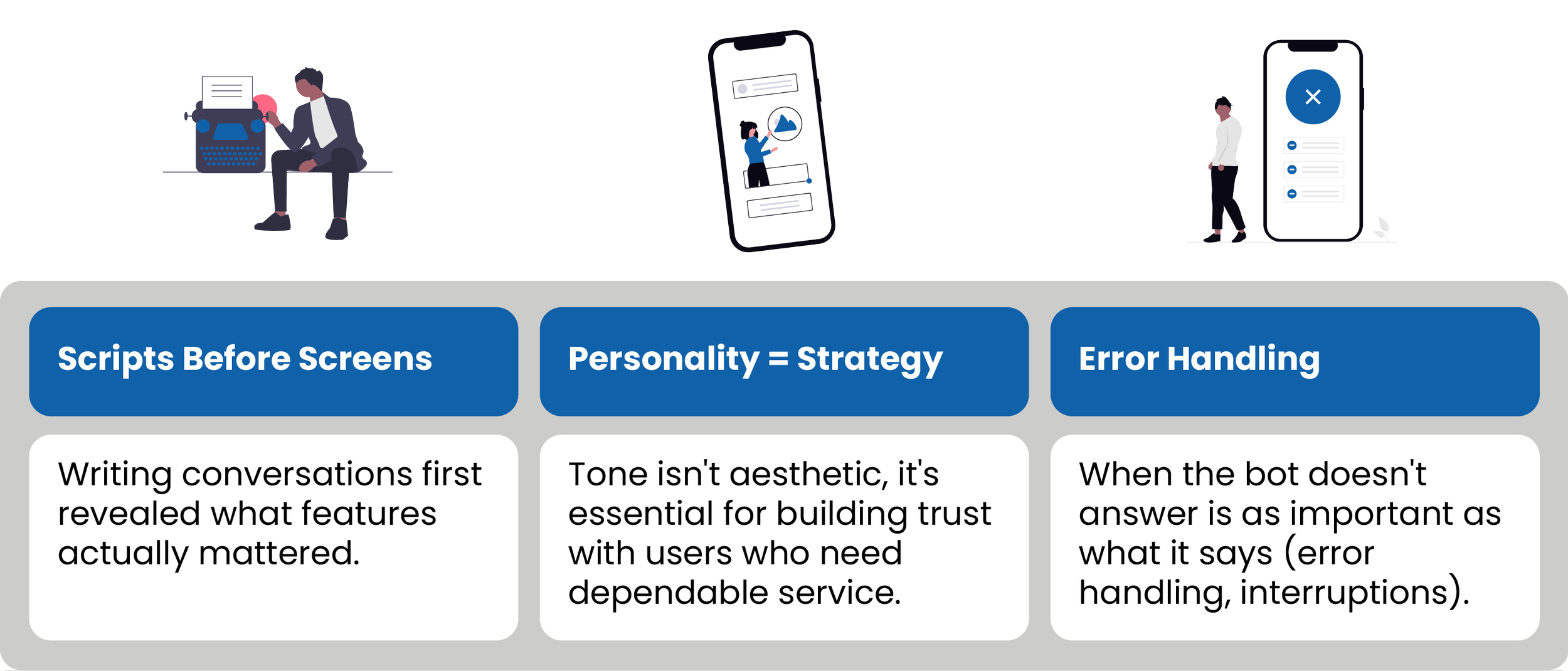
This project taught me essential lessons about conversational UX design and accessibility. Through iterating on scripts, prototyping in Voiceflow, and making critical design decisions, I learned how bot personality, transparency, and user control shape effective bot conversations. Here are the most important insights from this project.
08. Takeaways & Challenges
Challenges
Challenge 1: Balancing Speed vs. Empathy
Accessibility issues are stressful, but users need quick info.
Solution: Acknowledge emotions first, then provide information ("I'm sorry the elevator isn't working" before asking details).
Learned: Empathy doesn't require long responses.
Challenge 2: The Trust Problem
Can't guarantee elevators won't break.
Solution: Timestamps on status, proactive monitoring, clear language about "current status".
Learned: Build trust through transparency, not false promises.
Challenge 3: Information Overload
How much detail to show without overwhelming users?
Solution: Show summary with option to expand.
Learned: Design for scanning, not reading.
09. Next Steps
Future Iterations
The goal of this project was to make it easier and more efficient for users with mobility needs to navigate the NYC subway system. The prototype demonstrates how useful an accessibility bot can be for users, and there is great potential to increase the bot’s capabilities and features to address other accessibility needs of MTA riders.
Additional user testing with target users.
Build out VUI option to address the needs of users with vision needs.
Continue totrain the bot to handle additional scenarios and errors.
Integrate with other MTA accessibility initiatives.