A Digital Layer That Peels Back History
An Augmented Reality Museum Experience Built With Claude Code
Role: AR Experience Designer & Developer
Team: Solo project
Duration: 3 weeks (2026)
Tools: Claude Code, A-Frame, AR.js, CodePen, GitHub & Figma
01. SITUATION
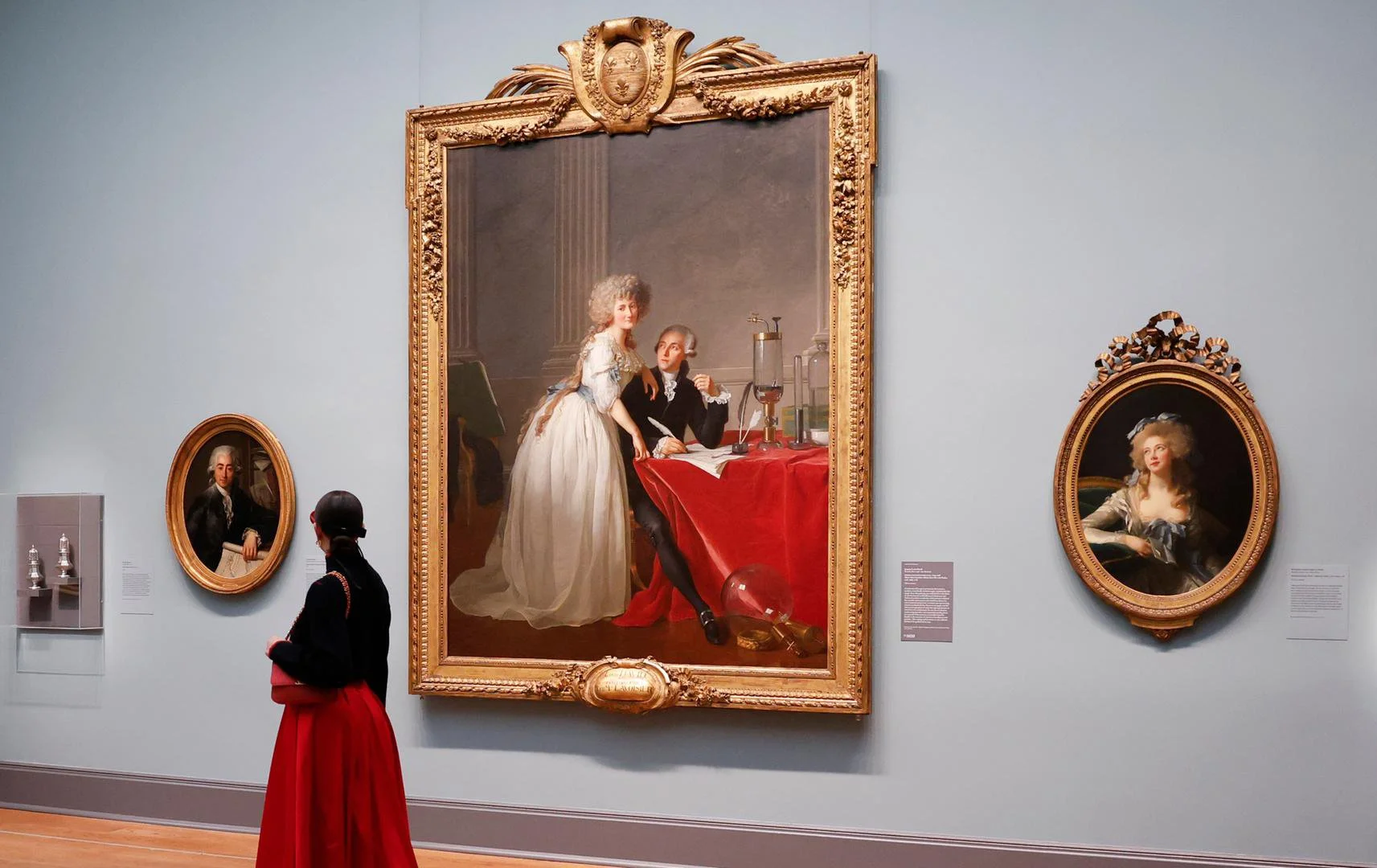
In a Museum, the Wall Label Is Usually All You Get
A wall label at the Metropolitan Museum of Art gives a visitor a name, a date, and a brief description of the artwork. Without a guided tour, an audio guide, or a curator beside them, there's no way for a visitor to go deeper when standing in front of an artwork. Curious visitors who want to understand more are left with the surface. And the museum loses a chance to connect people with art and the stories behind it.
This is the gap Overlay / Underlay, an augmented reality experience, is designed to close, using one remarkable painting as the case study.
02. CONTEXT
The Painting Hiding Another Painting
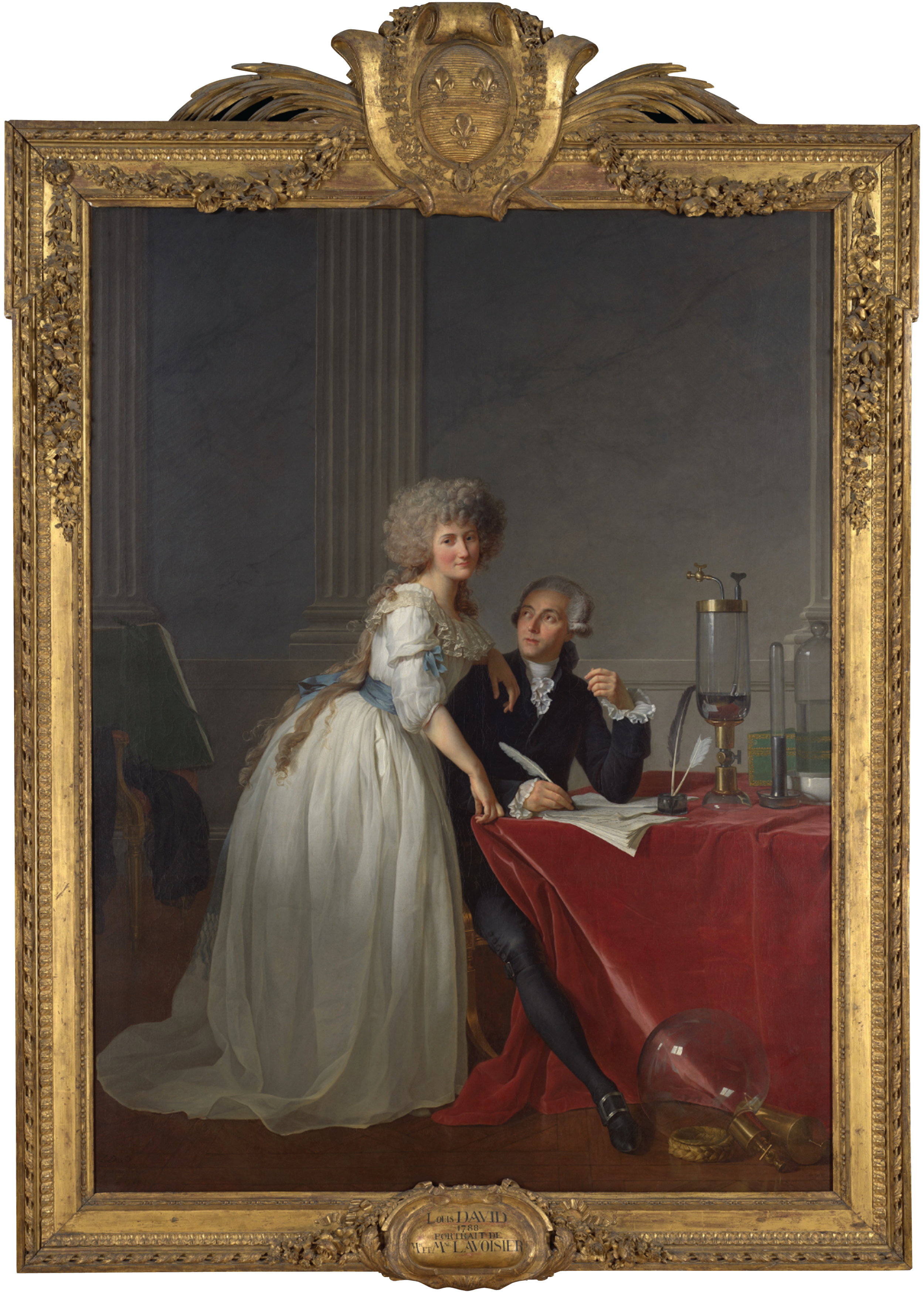
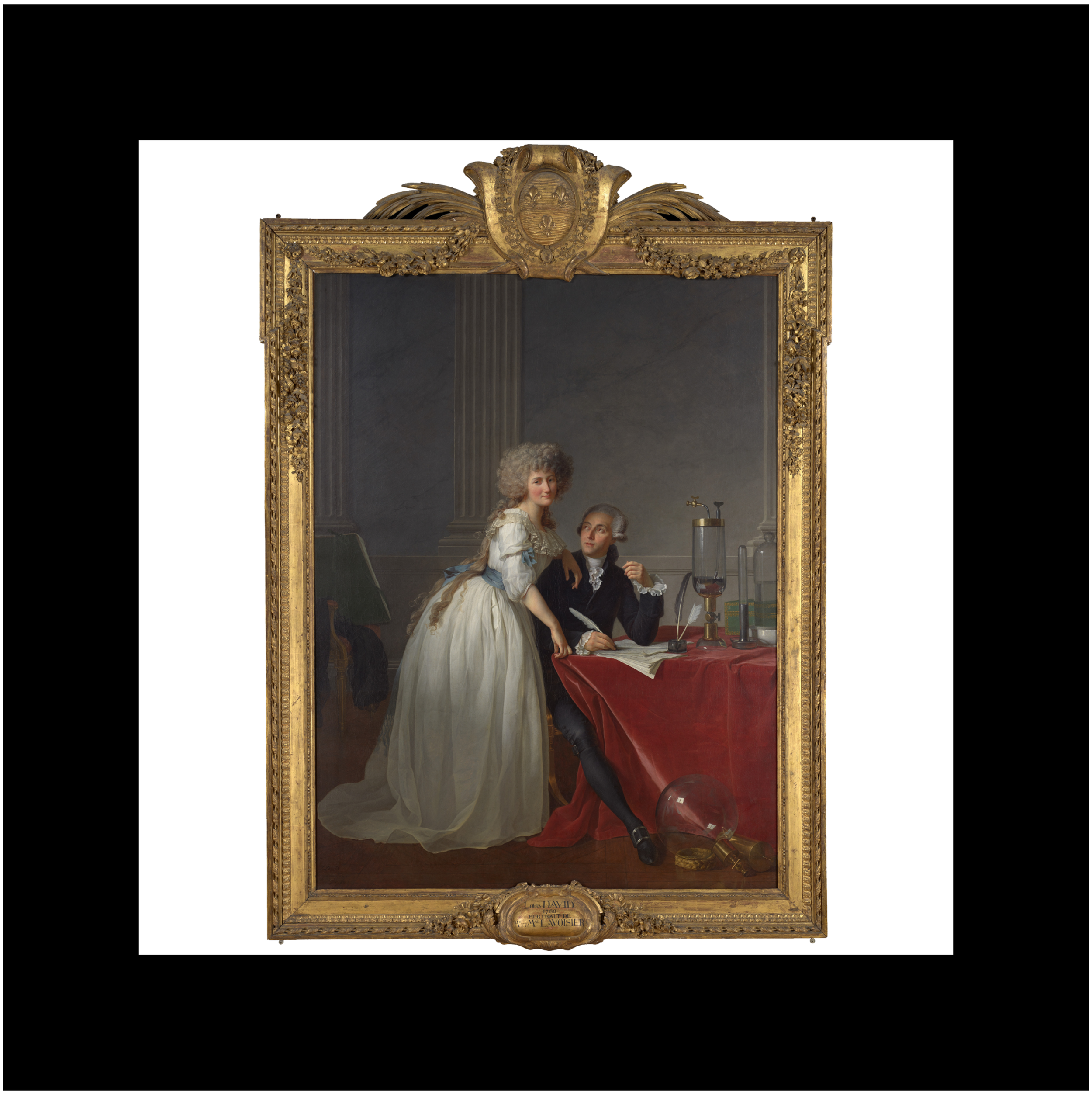
Jacques-Louis David's 1788 portrait of Antoine and Marie Anne Lavoisier hangs in the Metropolitan Museum's European Paintings galleries. In 2021, conservators used advanced imaging to uncover a very different first version beneath the surface, with the couple in far more lavish dress and none of the scientific instruments that define the painting today. The artist made these changes himself, around the time the French Revolution was beginning.
The leading theory is that the Lavoisiers wanted to be seen as modest scientists rather than members of the wealthy tax collector class, a status that was becoming dangerous. Antoine Lavoisier was guillotined in 1794, proof of how real the danger was.
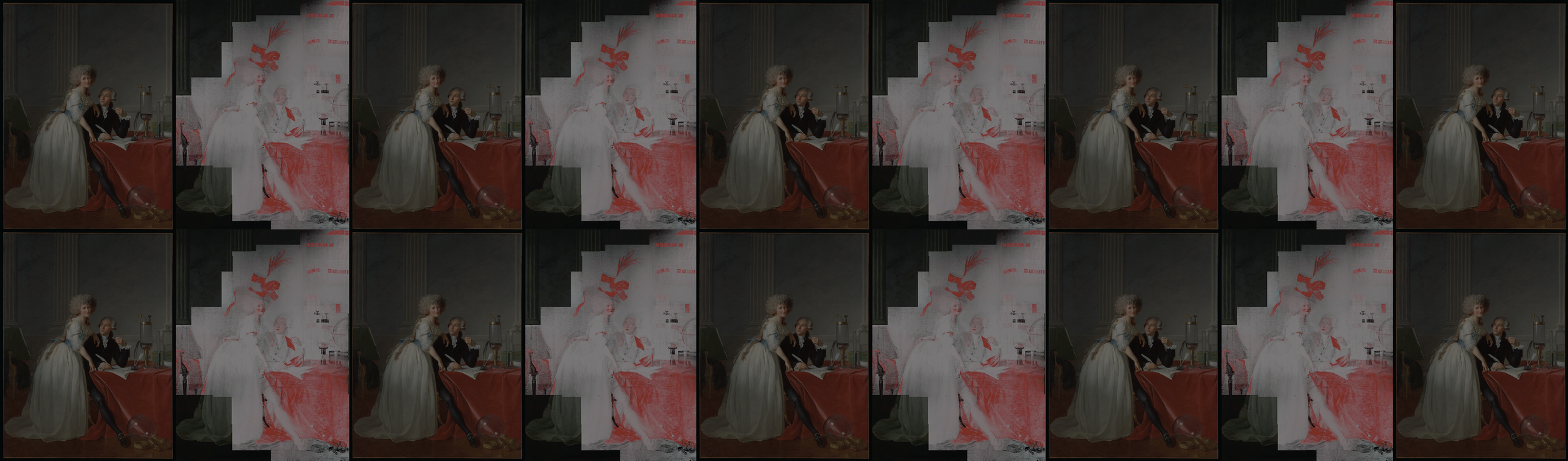
The original composition stayed buried for more than two centuries. These images from the Met Museum reveal the painting’s hidden layer:
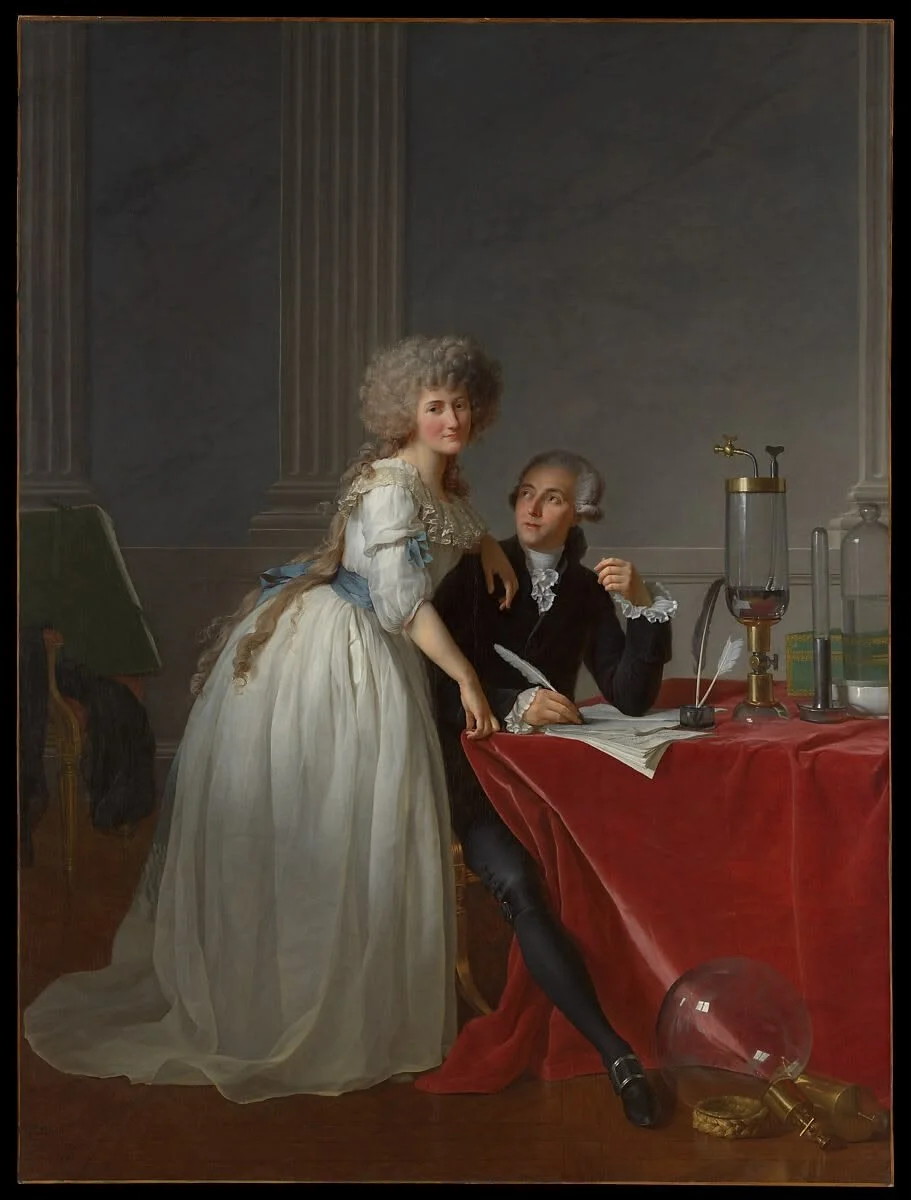
Finished painting as seen in the gallery today.
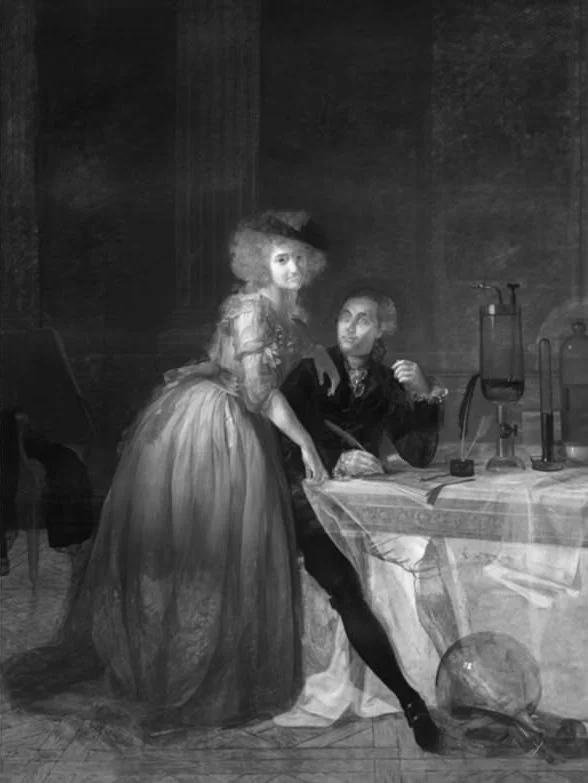
Infrared reflectogram reveals a hat, an ornate table edge, and other hidden forms.
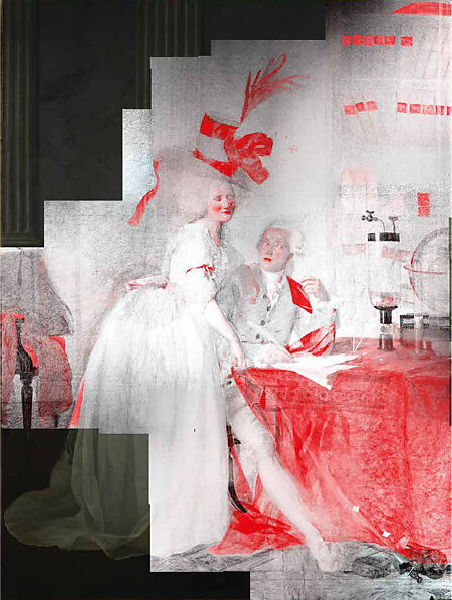
Macro X-ray fluorescence reveals an extravagant hat, a bookshelf, a letter in his hands, and more.
03. QUESTION
Problem Statement
Visitors standing in front of the painting have no idea that a hidden first version lies beneath its surface, a composition that changes the meaning of the entire work. It's one of the Met's most significant recent discoveries, and it's invisible to the very people who came wanting to know more.
How might we…
Give visitors access to that hidden layer, in the moment, standing in front of the painting, without a curator or guide beside them?
04. ANSWER
AR as Metaphor: Using a Digital Layer to Reveal a Hidden Layer
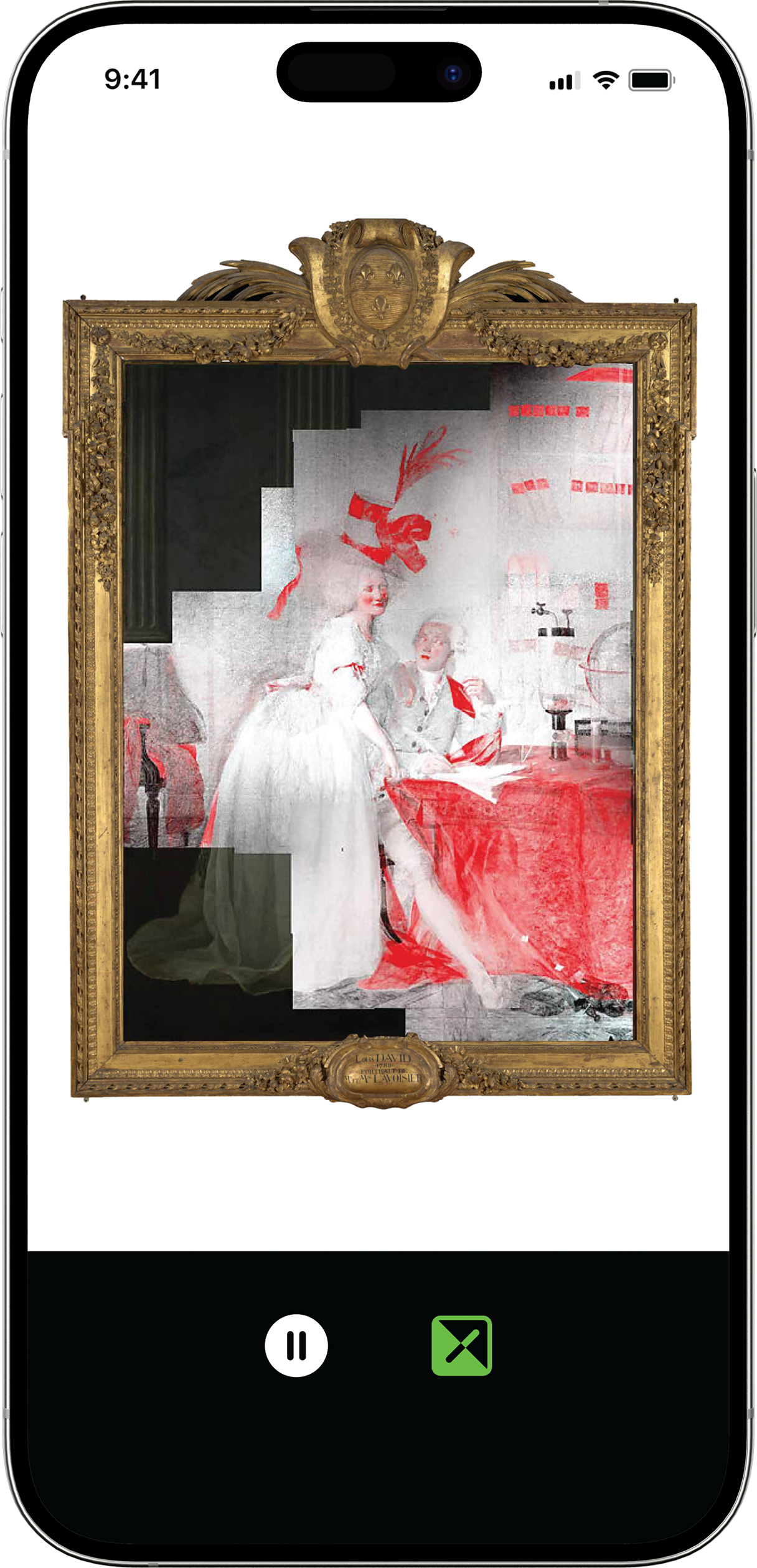
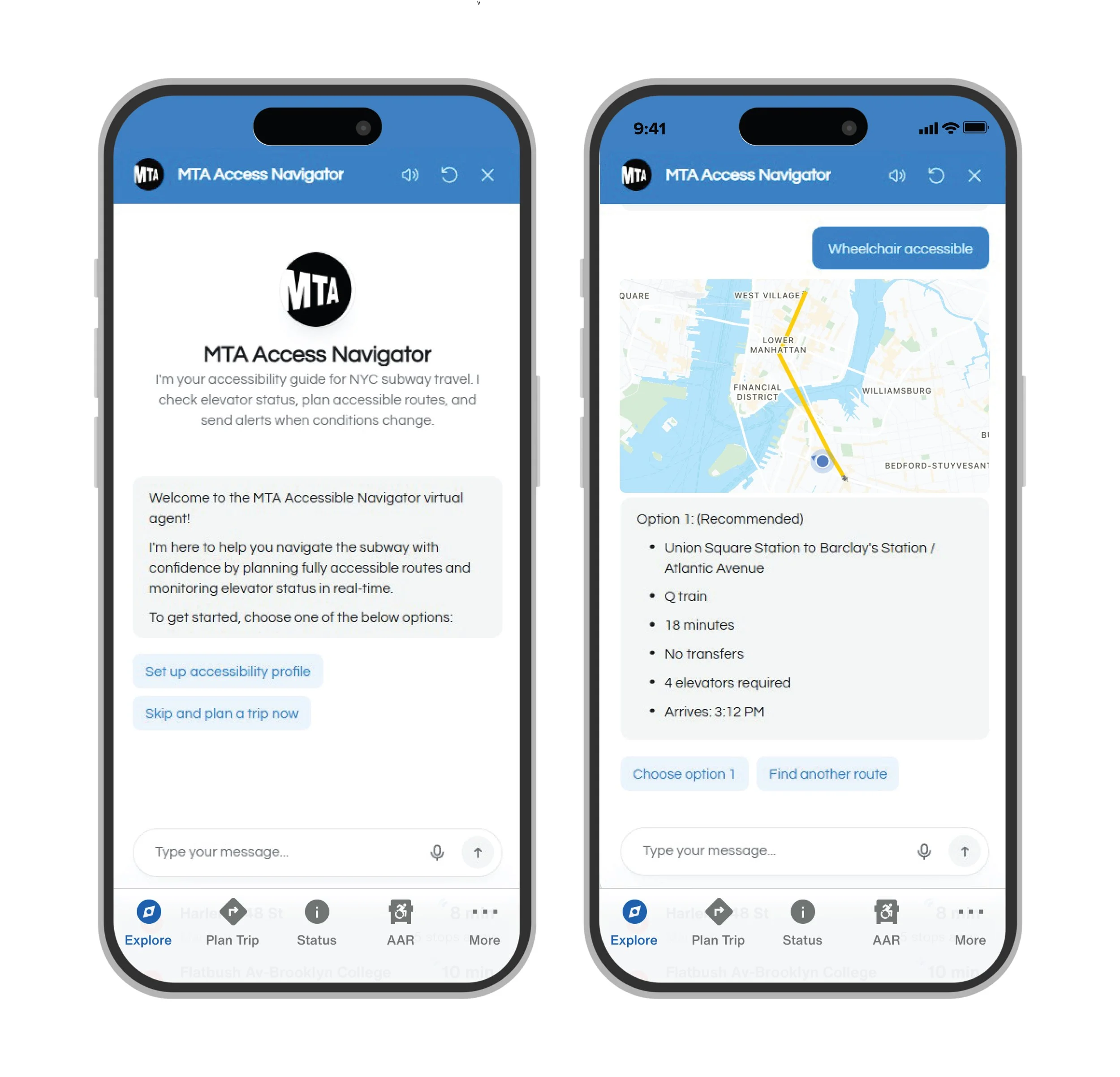
Overlay / Underlay is a marker-based AR experience built with A-Frame and AR.js in CodePen. The user points their phone at a printed marker and taps play. A short audio narration begins, and as it reaches the reveal, an image from the Met's research appears over the painting on their screen, allowing the user to see the hidden layer.
I approached this conceptually. The painting is built from layers, the first version hidden beneath the last. AR adds one more, a digital layer that brings the hidden one back. The medium becomes the metaphor.
05. RESEARCH & DESIGN PROCESS
Defining the User: Different Visitors, One Experience
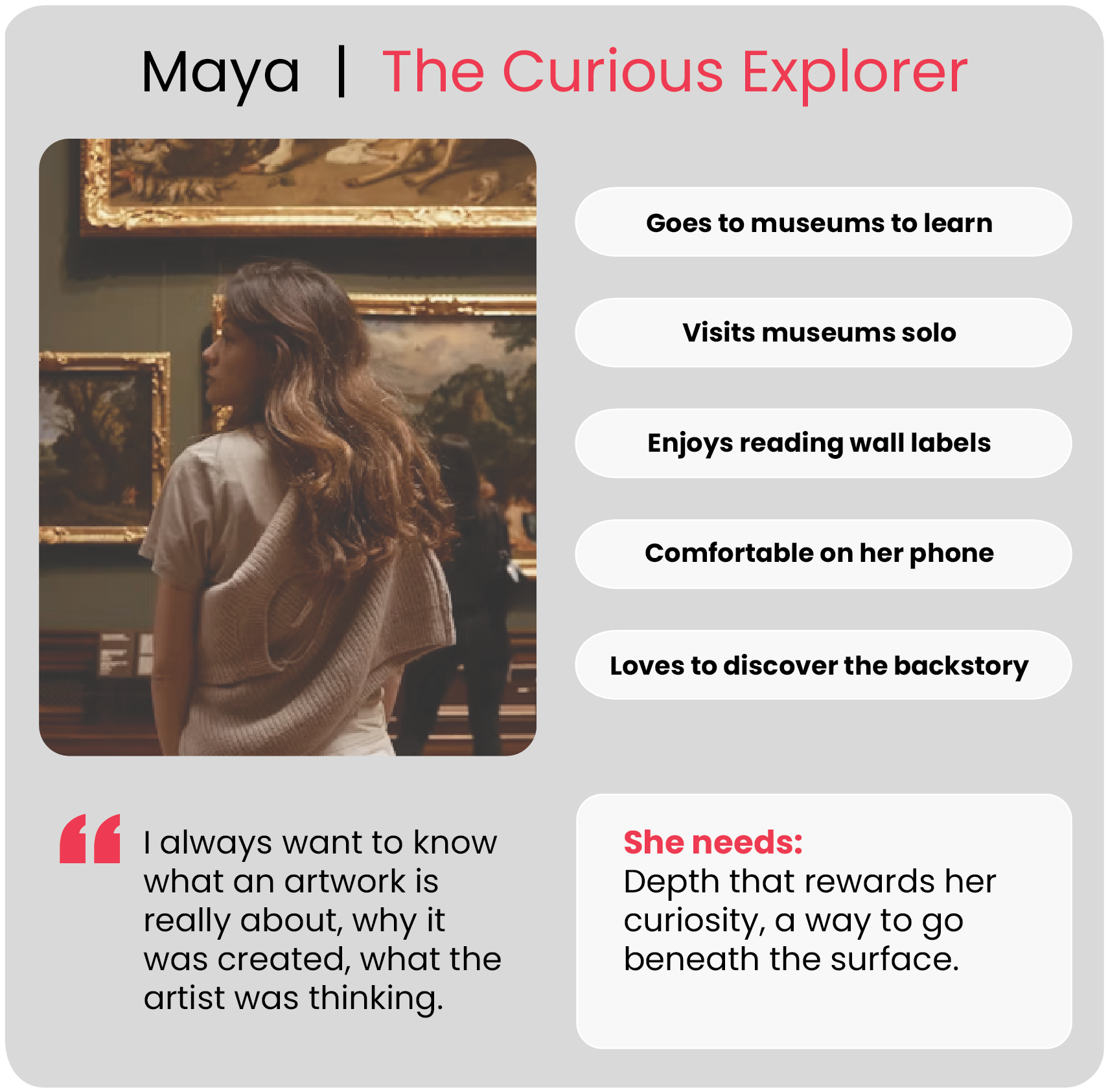
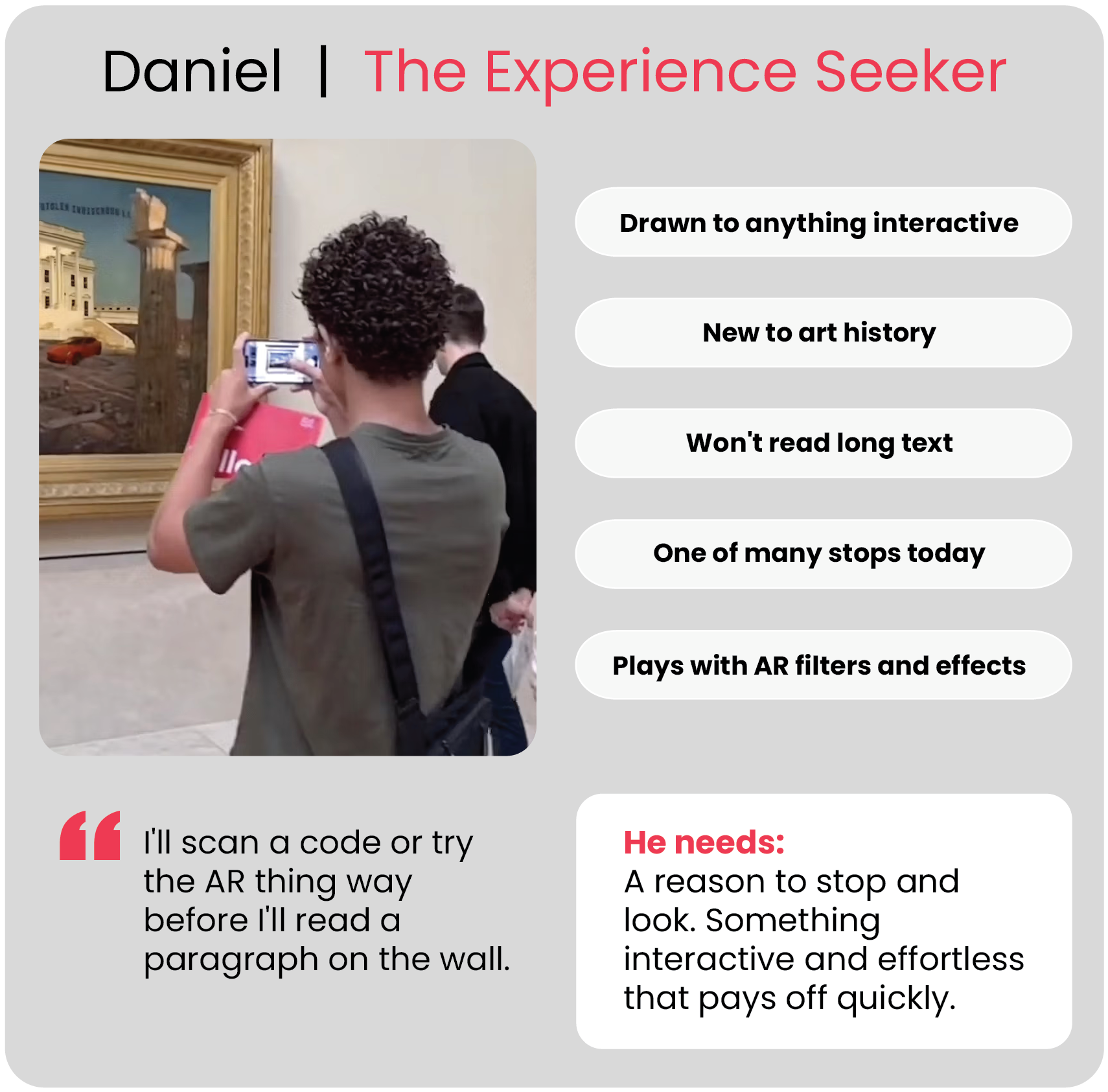
Met visitors range widely in age, background, and interest in art. To design for that range, I kept the experience simple enough for anyone and focused on two visitors who pull it in opposite directions.
Based on interviews with five regular Met visitors, two clear archetypes emerged:
From Sketch to Working Interface
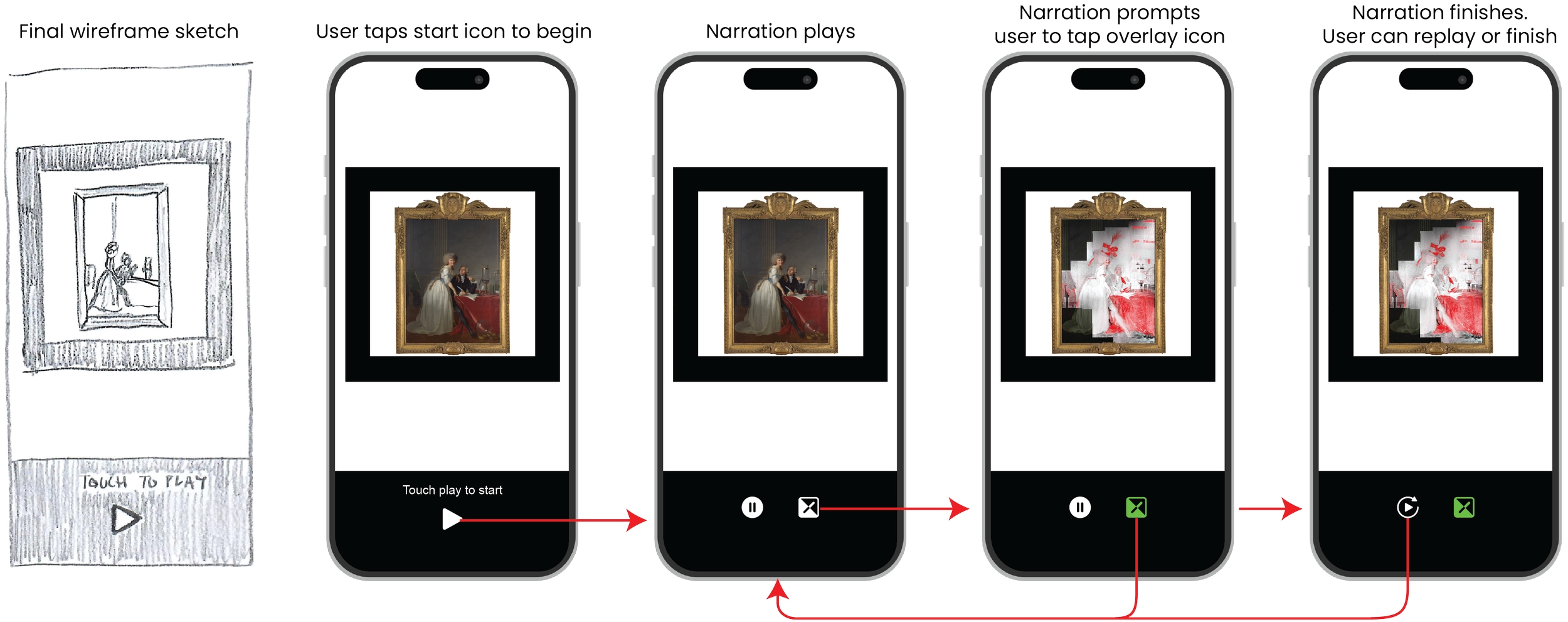
I sketched and refined the flow through multiple wireframe iterations before adding any AR, so the interactions were solid before AR added complexity on top. The final UI strips down to a minimal icon bar at the bottom, leaving most of the screen for the painting. Text buttons became simple icons, and the overlay icon turns green when active, the only color signal in the interface.
06. DEVELOPMENT
I coded the project with Claude. Overlay / Underlay runs entirely in the browser, with no app to install. It's built with A-Frame (a 3D and AR framework on top of three.js) and AR.js for tracking, prototyped in CodePen with assets hosted on GitHub. HTML, CSS, and JavaScript throughout.
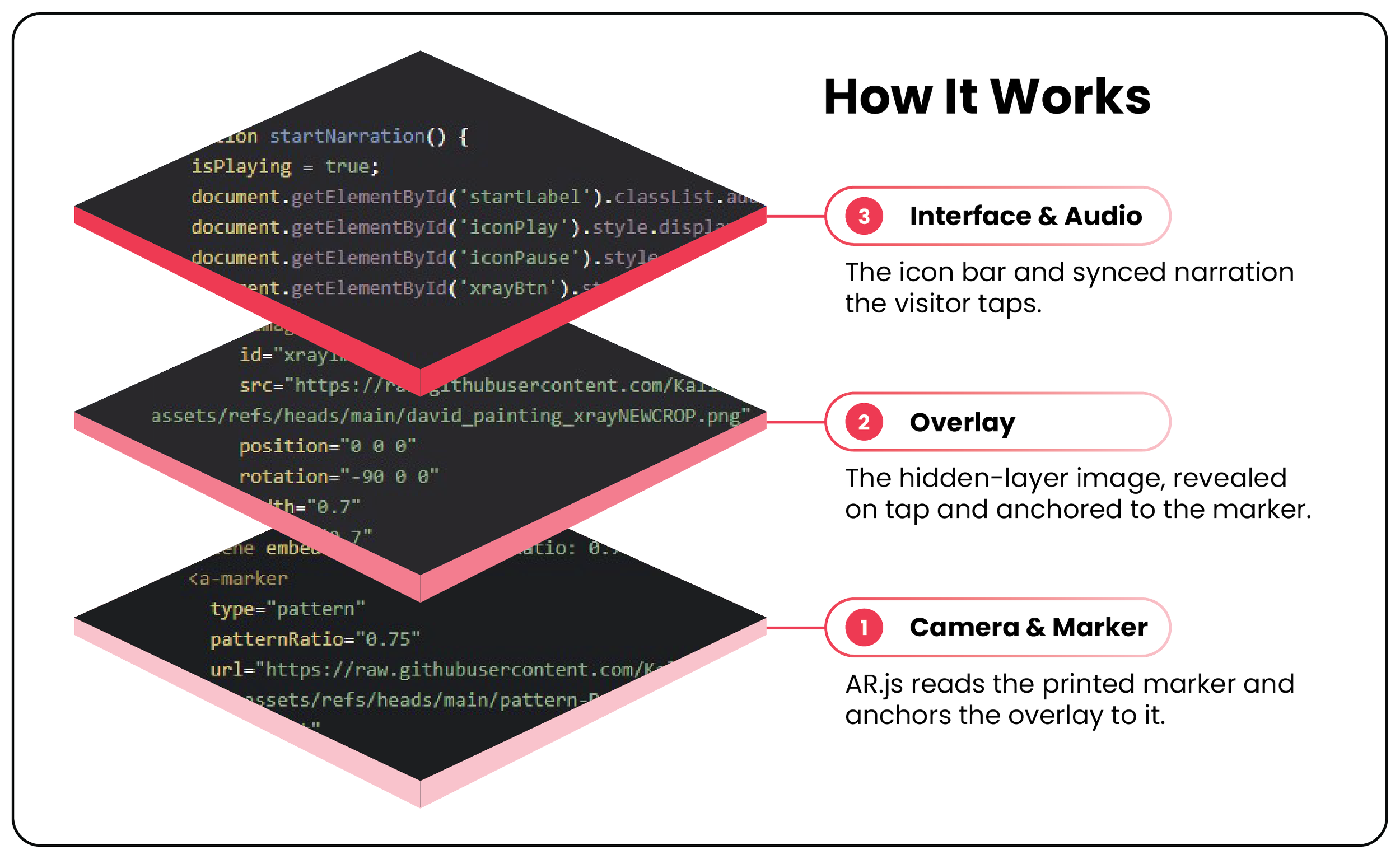
Fittingly for a project about layers, the build comes together as three layers: the camera and marker that anchor everything, the overlay that holds the hidden image, and the interface and audio the visitor actually touches.
Building With Claude, Layer by Layer
08. PROTOTYPE
Try the Prototype!
Open this webpage on a desktop. Then from your phone, scan this QR code to open the AR experience:
Next, point your phone at this marker and tap play when it opens:
09. KEY LEARNINGS
What Building Marker-Based AR Taught Me
A few things I'll carry into the next build: